SmartPill Origami: A Human-First Revolution in Medication Management
For millions of people living with chronic conditions or keeping track of several prescriptions, taking the right pills at the right time can feel like solving a daily puzzle. Forgetting a dose, mixing up medications, or wrestling with awkward packaging can turn even simple routines into stressful moments. SmartPill Origami isn’t just another pill organizer. It’s a system created with real people in mind, combining clarity, comfort, and everyday practicality to change the way we manage medication.
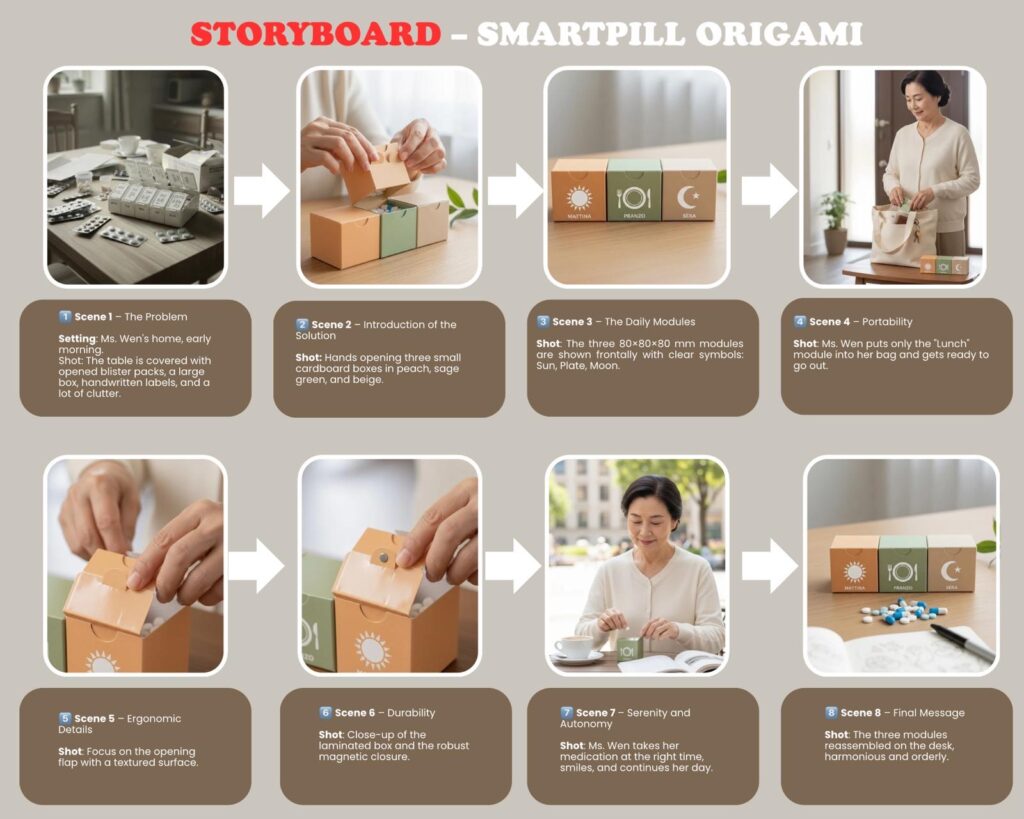
Traditional pillboxes often depend on tiny print or confusing colors, which can be overwhelming for anyone dealing with memory challenges, limited vision, or language barriers. SmartPill Origami replaces all of that with clear, universal images: a sun for morning, a plate for lunchtime, and a moon for evening. These intuitive symbols make it effortless to understand at a glance, whether you’re an older adult with memory issues or a busy parent rushing through the day.
The design goes beyond simple visuals. Every element is made to feel easy in the hands. If you have arthritis or shaky fingers, the compartments still open smoothly with a light squeeze. Magnetic latches give just the right amount of resistance, keeping pills secure without making the process frustrating. The textured surfaces feel stable to hold, and the durable, water-resistant materials protect your medication from spills or humidity.
Early trials in senior living communities showed just how much of a difference this approach can make. People using SmartPill Origami spent less than half the time managing their medication compared to traditional organizers. Mistakes like missing a dose or taking the wrong pill dropped significantly. As one resident said, “The pictures mean I don’t have to think so hard.” Caregivers noticed the impact as well fewer errors, calmer routines, and greater independence for the people they support.
This isn’t only about making life easier. It’s about improving health. By addressing the main reasons people miss their doses confusion, forgetfulness, and physical difficulty SmartPill Origami helps prevent complications, hospital visits, and avoidable medical costs. It doesn’t just organize pills. It helps organize daily life.
Sustainability is part of its core. The cardboard is fully recycled and strong enough to reuse, and the simple construction reduces waste compared to bulky blister packaging. Even the ink is plant-based, keeping harmful materials out of the environment.
For pharmacies and clinics, SmartPill Origami is also a practical choice. It’s affordable, easy to store, and fits naturally into existing systems. Its compatibility with digital health apps allows providers to monitor adherence gently and make small adjustments without requiring extra appointments.
SmartPill Origami isn’t a flashy gadget. It’s a quiet, thoughtful change in how we care for ourselves and others. It recognizes that managing medication shouldn’t require perfect eyesight or steady hands. It gives people confidence, comfort, and a sense of control. And it shows how simple, caring design can improve everyday life in meaningful ways.
Less guessing. More confidence. Better health.
SmartPill Origami, because staying on track shouldn’t be a struggle.
Hi everyone, I’m attaching this file which contains our preference. We have chosen the third solution you provided us, the Joyful Walk Companion, and in this file you’ll find the way we plan to develop this concept and the model we intend to create.
In our country, middle-aged and elderly people usually exercise in different ways. Many prefer structured activities such as Pilates, gentle gymnastics, or group fitness classes designed for seniors. In our area, there are several gyms offering programs focused on balance, flexibility, and posture – Pilates is especially popular among women. There are also outdoor fitness opportunities in public parks and green areas, where people can walk, stretch, or join informal group activities. For example, the “Mappatella Gym” is a free outdoor gym located on the Rotonda Diaz in Naples, along the seaside. It offers simple equipment such as bars and benches for safe outdoor exercise. Another well-known place is the Capodimonte Park, a large green area where people often practice outdoor Pilates or gentle physical activities with instructors.
These places promote an accessible, healthy, and social approach to physical activity, perfectly aligned with our project’s goal of bringing movement closer to seniors. Through our interviews with Pilates participants, we also found that physical activity is seen not only as exercise, but as a way to improve well-being, self-confidence, and social connection.
Product 1: “Neighborhood Tai Chi Disk” – Two-Person Collaborative Balance Training Equipment
1. Safety Protection Design
The main body of the equipment is a circular platform with a diameter of 2 meters, covered with a 2cm-thick non-slip rubber mat (friction coefficient ≥ 0.8). A 15cm-high fall-proof baffle (soft-covered material) is installed around the edge to prevent falls from unstable standing.
A hydraulic buffer device is equipped under the platform, with a maximum tilt angle not exceeding 10°. Even if unbalanced, it can reset slowly to reduce impact damage. Two arc-shaped armrests (height 0.85m, grip diameter 3cm) are set on each side, wrapped with non-slip foam for easy support at any time.
A gravity-stabilized base (weight ≥ 50kg) is added at the bottom to prevent the equipment from tipping over. A crutch placement slot (depth 15cm) is reserved to meet the needs of elderly people with limited mobility.
2. Social Interaction Functions
It supports 2 people to use simultaneously. The platform is divided into two independent left and right areas, which can rotate synchronously or in reverse. With preset Tai Chi movement guidelines (footprint marks on the ground + soft light prompts), it realizes “two-person synchronous Tai Chi practice”.
A built-in voice interaction module supports a “password synchronization” mode (e.g., “Start – Turn left – End”), guiding the two to cooperate with the rhythm. After completing a set of movements, the device automatically broadcasts “Cooperation successful! Tacit understanding score: 95 points” to enhance interaction fun.
A detachable small tabletop (installed between the armrests) is provided. When not in use for exercise, it can hold teacups and chessboards, transforming into a neighborhood communication table that meets both fitness and social needs.
3. Body Adaptability Design
The exercise intensity is adjustable. Switch between “low speed/medium speed” modes via a large button (diameter 5cm) next to the armrest. The low-speed mode (rotational speed ≤ 5 rounds/minute) is suitable for elderly people of advanced age, while the medium-speed mode is adapted for those with exercise experience.
The platform’s rotation resistance adopts a progressive design, with minimal resistance at startup to avoid muscle strain from sudden exertion. A built-in heart rate monitoring sensor (at the armrest contact position) automatically reduces the rotational speed and gives a voice reminder to rest when the heart rate exceeds 120 beats/minute.
The main body is made of stainless steel (rust resistance grade ≥ 304). The crossbar height is set at 1.1m (suitable for sitting and standing postures), with a non-slip rubber coating on the surface. The spacing is designed according to ergonomics (0.6m) to avoid crowding and collisions.
Each training position is equipped with an adjustable seat (height 0.45-0.55m), featuring a detachable safety belt and a non-slip cushion. Space is reserved under the seat for crutches and walkers. Elastic floor mats (thickness 3cm) are laid on the ground to reduce impact force when falling.
The equipment has a built-in overload protection device that automatically locks when the pulling force exceeds 30kg, preventing joint damage from excessive force. An emergency call button (linked to the community service center) is installed next to each training position for help in emergencies.
2. Social Interaction Functions
It supports 3-4 people to use at the same time. The crossbars are connected by a linkage shaft; when one person pulls the crossbar, the crossbars at other positions move slightly synchronously, forming an interactive mode of “multi-person collaborative force” suitable for neighborhood group training.
A built-in points system records the collaboration completion of each training session (e.g., “Four people pull synchronously 10 times, earn 20 points”). Points can be exchanged for small gifts (such as laundry detergent, physical examination coupons) in the community to stimulate sustained participation enthusiasm.
A foldable small blackboard is set between the crossbars, which can be used to write training slogans, activity notices, or as a neighborhood message board to enhance social connection. A Bluetooth speaker is equipped to play square dance music and health popularization audio, creating a lively group atmosphere.
3. Body Adaptability Design
The pulling force can be flexibly adjusted by adding weight blocks (5kg per block, maximum weight 20kg), adapting to elderly people with different muscle strength levels – from “light pulling force for joint activity” to “medium pulling force for muscle strengthening”.
Training movements are designed with a slow “pull-release” rhythm. A paper operation guide (large font + pictures) is attached next to the equipment, and voice broadcast of operation steps is supported (e.g., “Slowly pull the crossbar to the chest, hold for 3 seconds, then slowly release”) to lower the learning threshold.
Product 3: “Joyful Walk Companion” – Multi-Person Accompanied Lower Limb Training Equipment
1. Safety Protection Design
The equipment body adopts a rounded design (corner radius ≥ 5cm) to avoid sharp protrusions. The pedals are ≥ 20cm wide with non-slip patterns on the surface, and buffer springs are installed under the pedals to reduce impact force when landing and protect knee joints.
Each training position is equipped with double-sided armrests (height 0.9m) that can be adjusted at an angle of 0-15°, adapting to different heights and standing postures. The pedal stroke is controlled within 30cm to prevent imbalance caused by excessive strides, and a limit device is set to avoid over-swinging of the pedals.
A stable base (weight ≥ 60kg) is added at the bottom to ensure no shaking during use. Rest benches are placed around (spacing ≤ 5m) for the elderly to rest between training sessions. The benches are equipped with sunshades and cup holders to enhance comfort.
2. Social Interaction Functions
It adopts a side-by-side layout (3-4 training positions), allowing neighbors to communicate face-to-face during training. Meanwhile, the synchronized swing design of the pedals creates a “walking together” scenario, relieving the boredom of training alone.
Built-in interesting interactive games are displayed on the small screen next to the armrest (font size ≥ 24pt), such as “Step Count Competition” and “Synchronization Rate Challenge”. For example, “Walk synchronously with friends beside you for 30 seconds to win the ‘Tacit Partner’ title”, enhancing interaction fun.
It supports connection to community elderly activity groups. Training data (step count, duration) can be synchronized to the group, forming a “daily check-in” interaction. This facilitates mutual encouragement and training appointments among neighbors, expanding their social circles.
3. Body Adaptability Design
The swing speed is adjustable (0.5-1.5m/s). The low-speed mode is suitable for elderly people with joint pain or poor balance, who only need slight swings to activate their lower limbs. The high-speed mode is adapted for elderly people in good physical condition to meet intensive training needs.
The pedal height can be fine-tuned (±3cm) to fit the stride length of elderly people of different heights. An optional “sitting training” accessory (additional seat can be installed) is provided, allowing elderly people with limited mobility to complete lower limb swing training while sitting, catering to groups with different mobility levels.
14 responses to “Three Elderly-Friendly Social Fitness Equipment Design Schemes”
The Design Team 07, you have meant to review and provide feedback on the Client Brief provided by your clients. Your feedback was meant to prompt the Clients to clarify any points in their Client Briefs and to agree with you on the version which you will use to guide your design work.
The Design Team 07, you need to urgently upload 3 or more individual initial design concepts addressing issues outlined in the Client Brief. This means that each Design Team member needs to upload individually 3 or more concepts.
Upload your design concepts onto this design team project blog. Each concept should illustrate how it is addressing the Clients Brief.
Think how you may curate your information so that the Clients can provide you with specific feedback on each of your concepts. For example, you may like to check that each concept is named to identify it, is dated, has your name and explains how the user might benefit from using it.
Can you please upload your concepts by end of today?
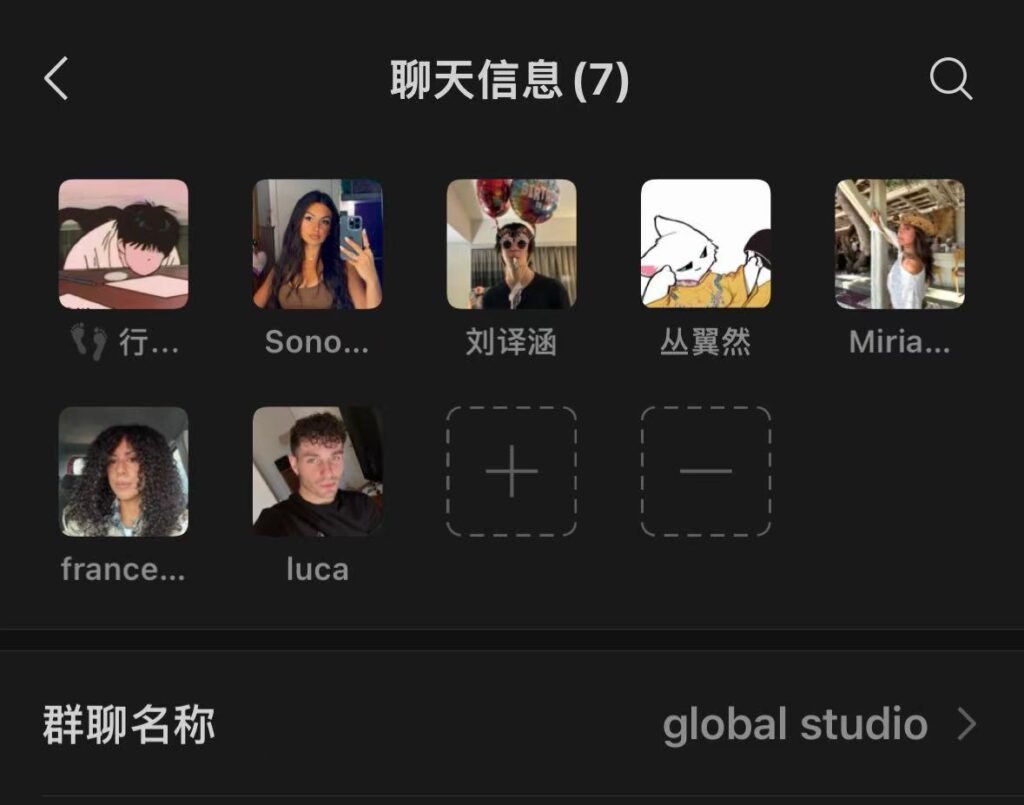
On October 25th, we got in touch and had an online communication via email, and then set up a WeChat group chat.
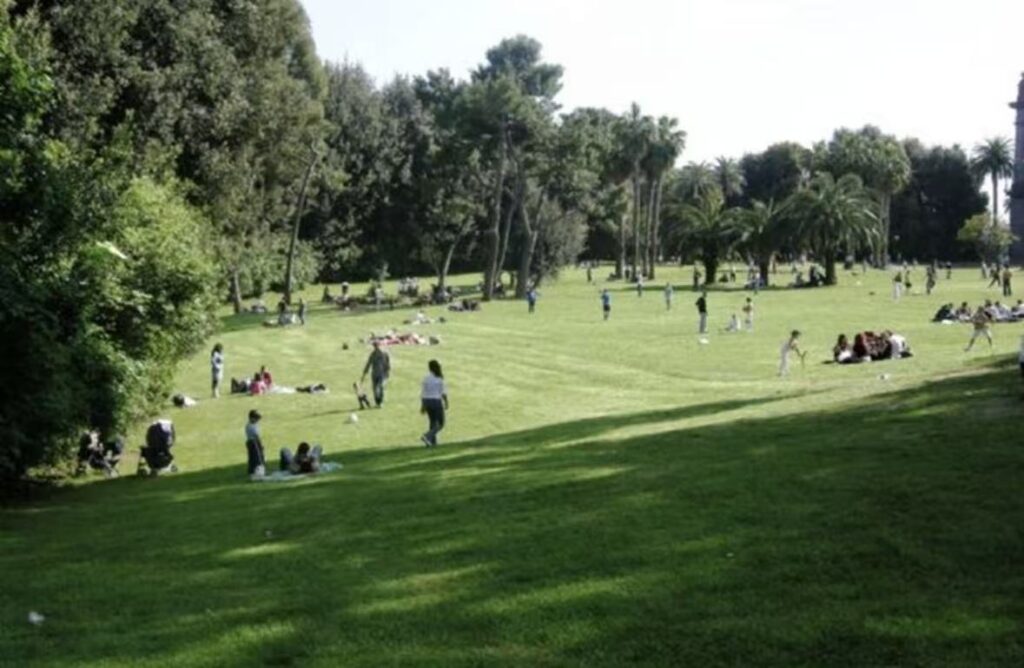
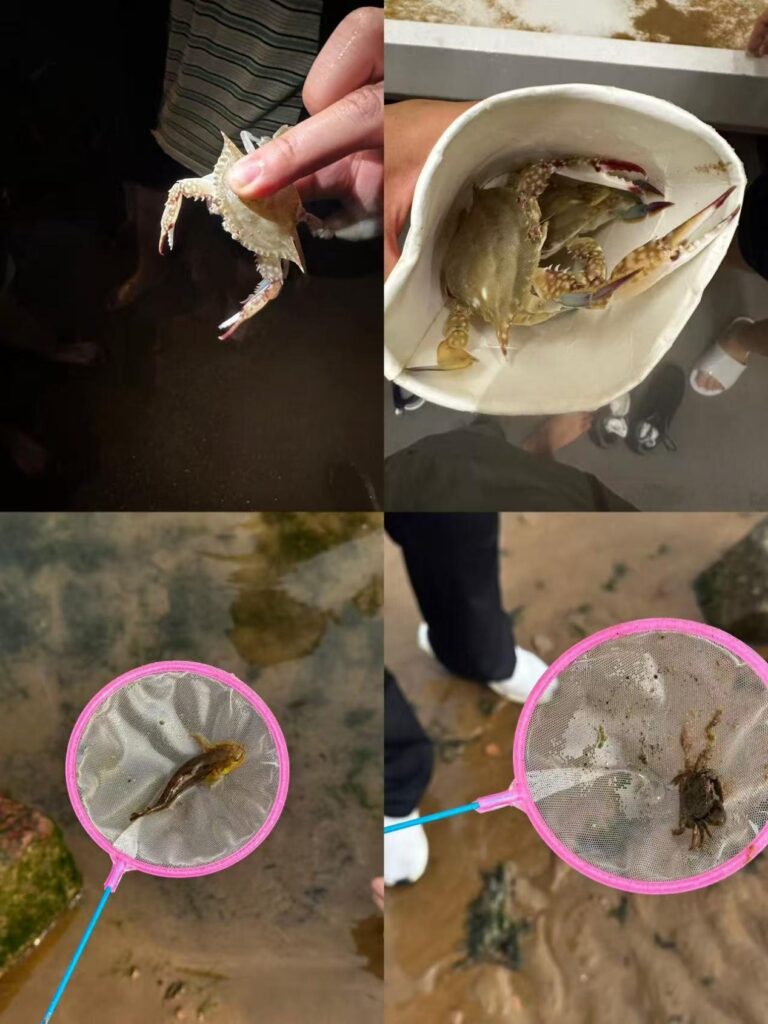
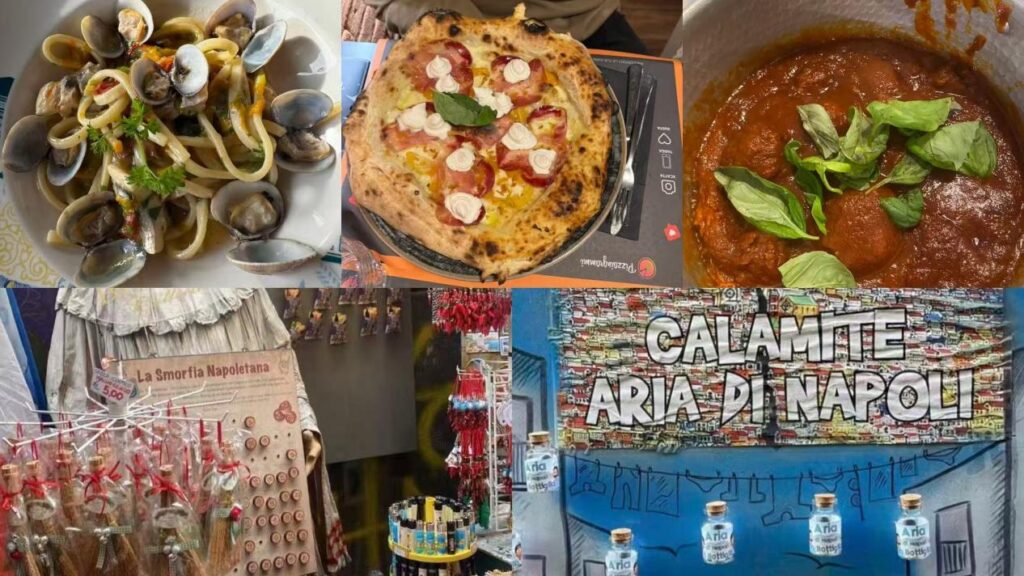
We exchanged simple greetings, shared the cities we are in, and talked about the local natural scenery, cultural landscapes, local cuisines as well as our daily lives.(Among these, photos 2-1 and 2-2 were shared by members of our team, while photos 2-3 and 2-4 were shared by members of the collaborating team.)
2-1
2-2
2-3
2-4
We agreed to hold an online video meeting at 21:00 Beijing Time on the 28th. The communication went very smoothly, and we truly enjoyed the time spent together. It was a great opportunity to exchange ideas, share updates, and discuss our next steps in detail.
Everyone participated actively, and the discussion was both productive and inspiring. We appreciate the positive energy and openness throughout the meeting, which made the conversation not only efficient but also genuinely enjoyable. Looking forward to continuing this collaboration and making even more progress together!
You will upload your profile onto your allocated Design Project site.
Sharing your profile will enable other participating students and lecturers to find out about you. So, make it an interesting read…
The other students might like to know where your hometown is, and what your hobbies are and your future plans after you will graduate. You may like to say something about your favourite design project you have done in the past and share a picture or two. What are your strong skills? Do you have a favourite book, movie or TV series? What is your favourite hiding place where your university is located?
Please remember to include your contact details. It is essential that you list your email! However, it would be also useful to indicate what social media you are using such as WhatsApp, WeChat, Signal, Telegram, Line, Kakao Talk, Skype and so on.
You can always update your profile post, so you do not need to have it perfect in the first go.
Develop a banner for your Design Team. The banner will be used as a Heather for your Design Project Site. The dimensions can be vary from 340x125pixels or 1350 by 270px or 2000x400px
The Designers’ Team Banner needs to include the following:
design team’s logo
design team’s name
design team members’ photos and names
Examples of the past designers banners are provided on the 2024 Project Master Page. If like you, you can always modify your banners later on.







Leave a Reply
You must be logged in to post a comment.